AI-assisted construction cost control

Build smarter.Know sooner.

Built by a South African builder, for South African builders. Upload a supplier invoice — BUILD WATCH reads it, files every line, handles the VAT and shows what it does to your budget.

Costs to dateR 0
Budget used0%
Profit to date+R 0
BUILD WATCH dashboard
BUILD WATCH on a phone
✓Invoice read14 lines filed to the right trades
⚠Plumbing at 99% of budgetReview before you order more
RR 65,587 due this week3 suppliers waiting for payment
Scroll
Scroll to build

Watch a build come together.

✓Invoice read14 lines filed to Plumbing & Concrete
⚠Plumbing at 99.7%Check before ordering more
%VAT R 14,320 checkedPayment due in 12 days
✔Client approved VO-4+R 12,400 · contract value updated
RProfit so far R 344,780Final account ready
Contract valueR 820,000
Costs to dateR 0
Profit so farR 820,000
01

Set the budget

Start with the contract value and a budget for every trade. This is your line in the sand.

  • Budgets by trade, in rand
  • Contract value, income and forecast profit in one view
02

Feed it invoices

Upload a PDF, snap a photo or email it to the project. AI reads every line and files it to the right trade — you review before it's saved.

  • Supplier, date, lines and VAT read for you
  • Delivery added to the items it delivered
03

VAT & payables, sorted

See what was VAT and what wasn't, what's overdue, what's due this week and what you owe each supplier.

  • VAT report with PDF download
  • Part payments and due-date alerts
04

Extras, approved in writing

The client wants another room. Log the variation — they approve it in their portal, and the contract value and completion date update themselves.

  • Variations, instructions and time extensions
  • A paper trail for every change
05

Know your profit

Hand over with the real numbers. Costs, income, retention and profit — not a guess at the end of the job.

  • Cost reports and cash-flow forecast
  • Retention and defects period tracked
Inside BUILD WATCH

Real screens. Real numbers.

Swipe through the program. Click any screen to enlarge it.

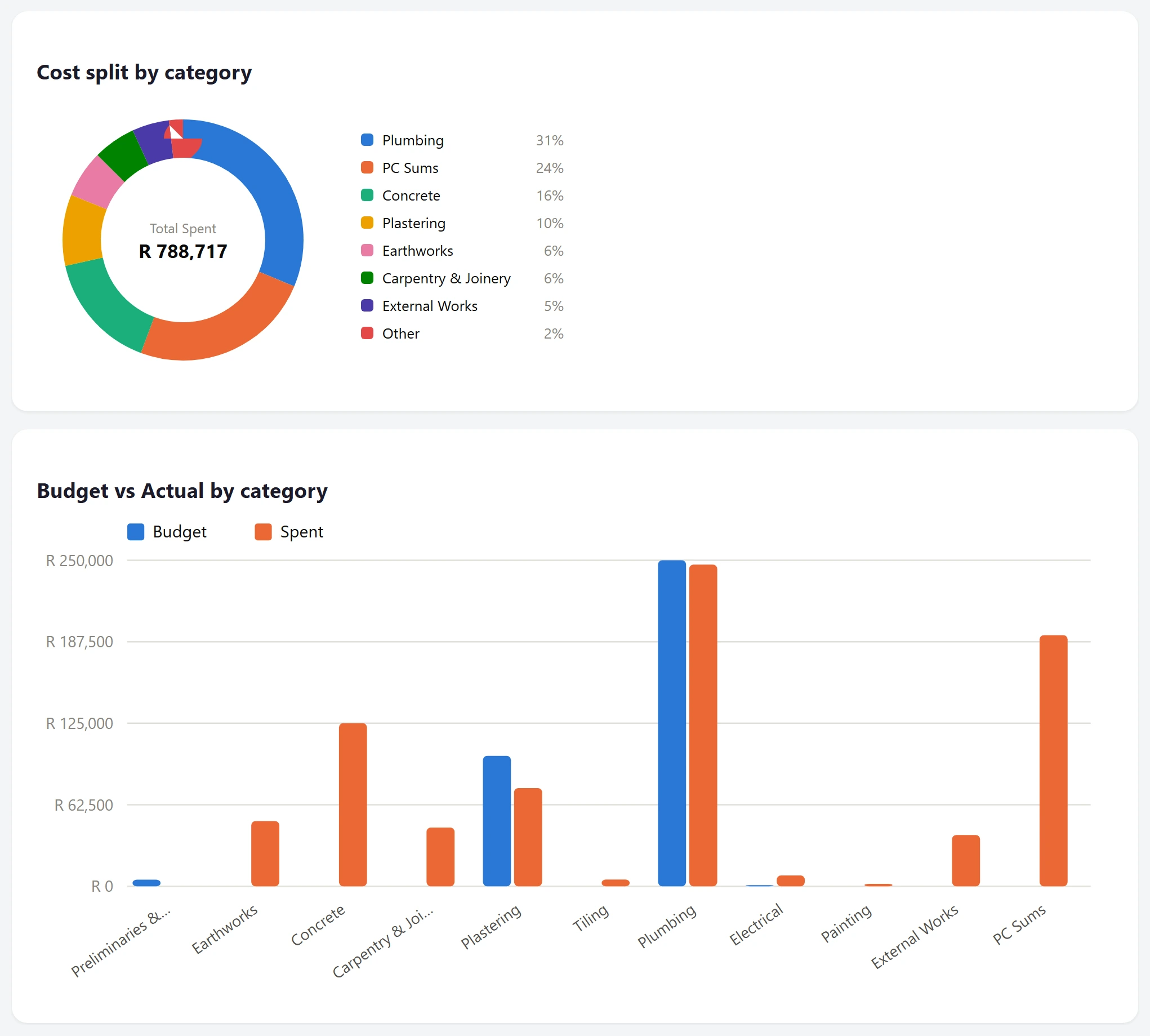
Cost reports
01 / Costs

See where the money went.

Category spending, budget versus actual and cost reports.

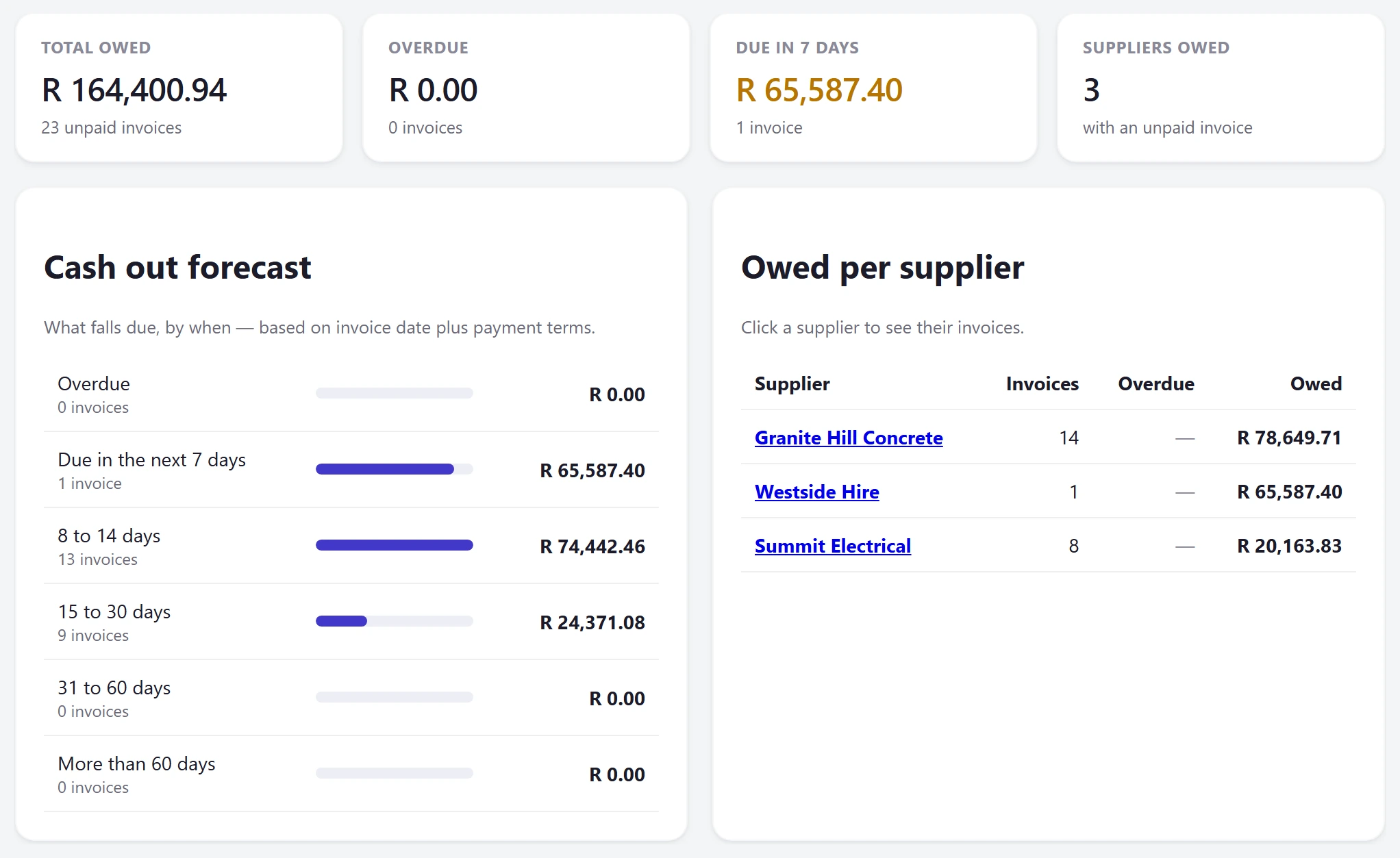
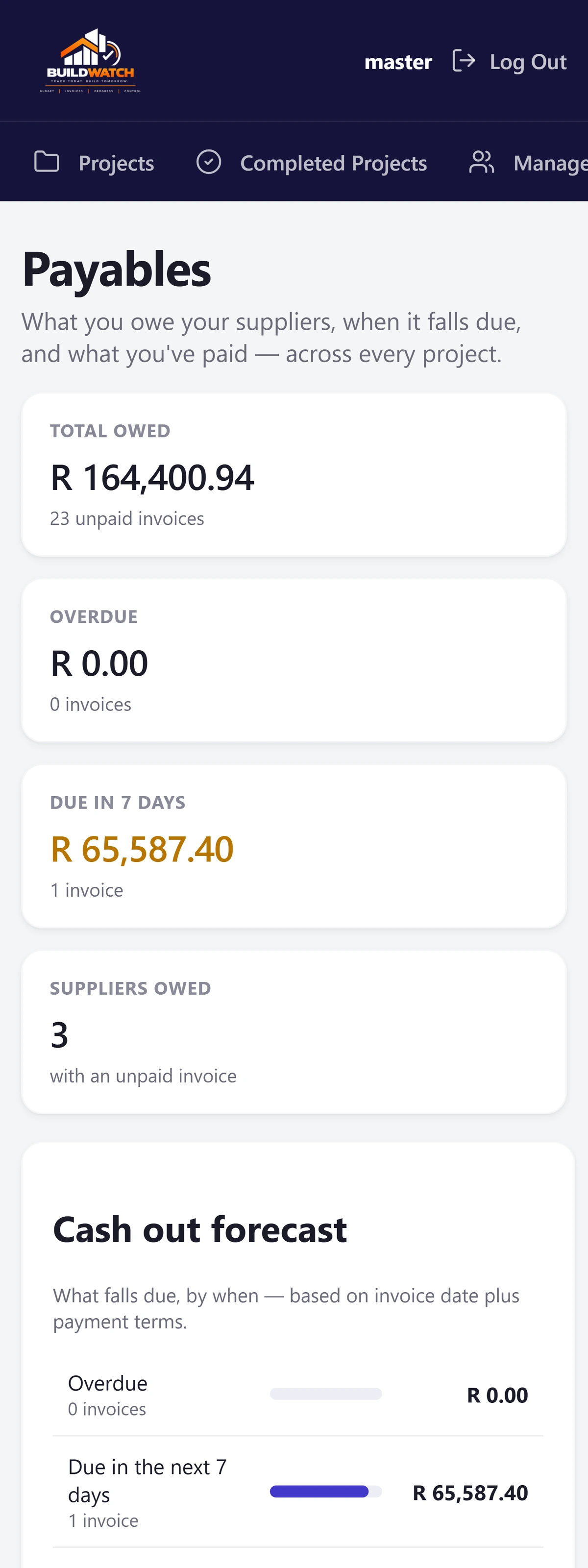
Payables
02 / Payables

Know what you owe — and when.

Due dates, overdue invoices, part payments and a cash-out forecast.

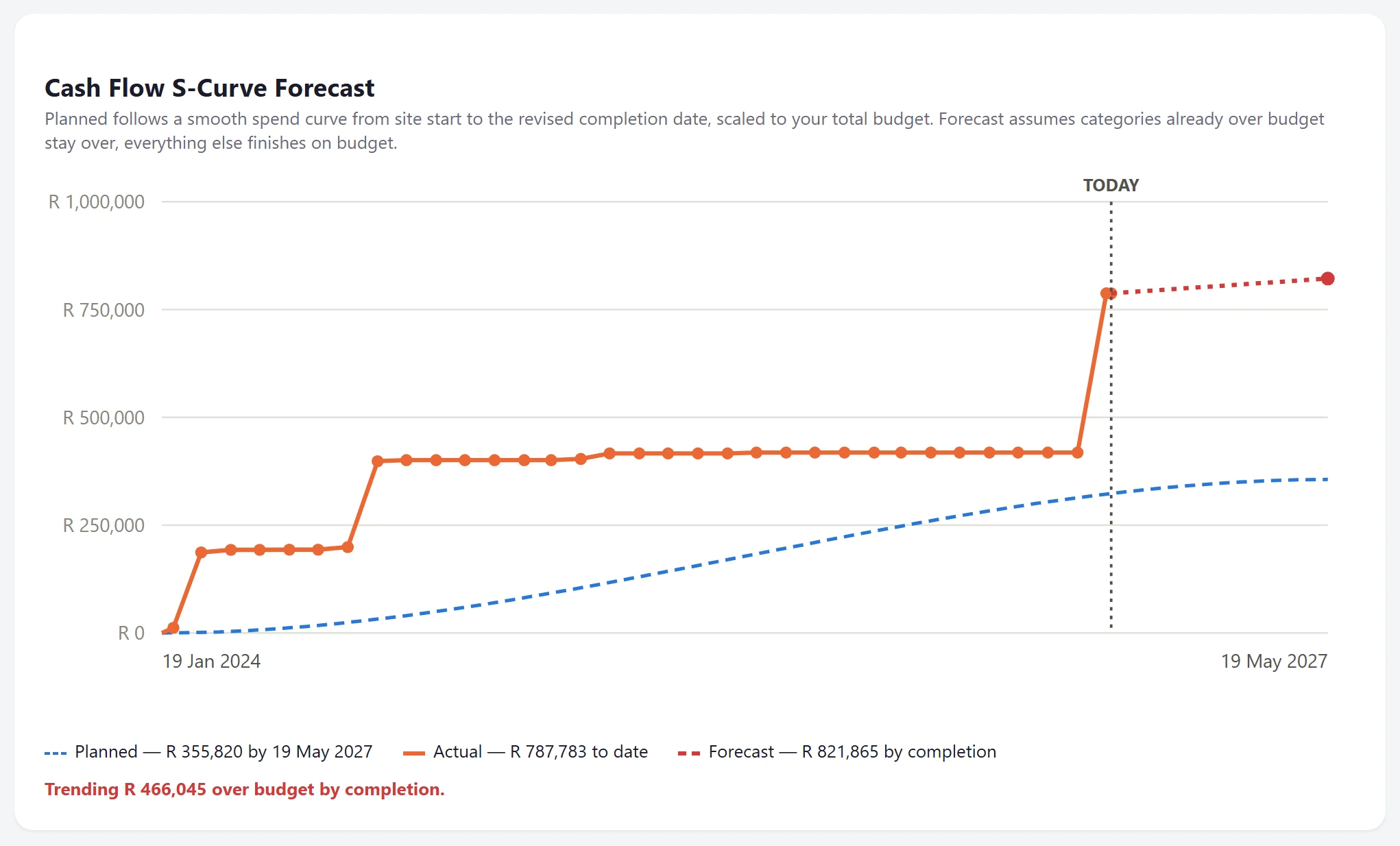
Cash flow forecast
03 / Forecast

See where spending is heading.

Planned, actual and forecast spending through to completion.

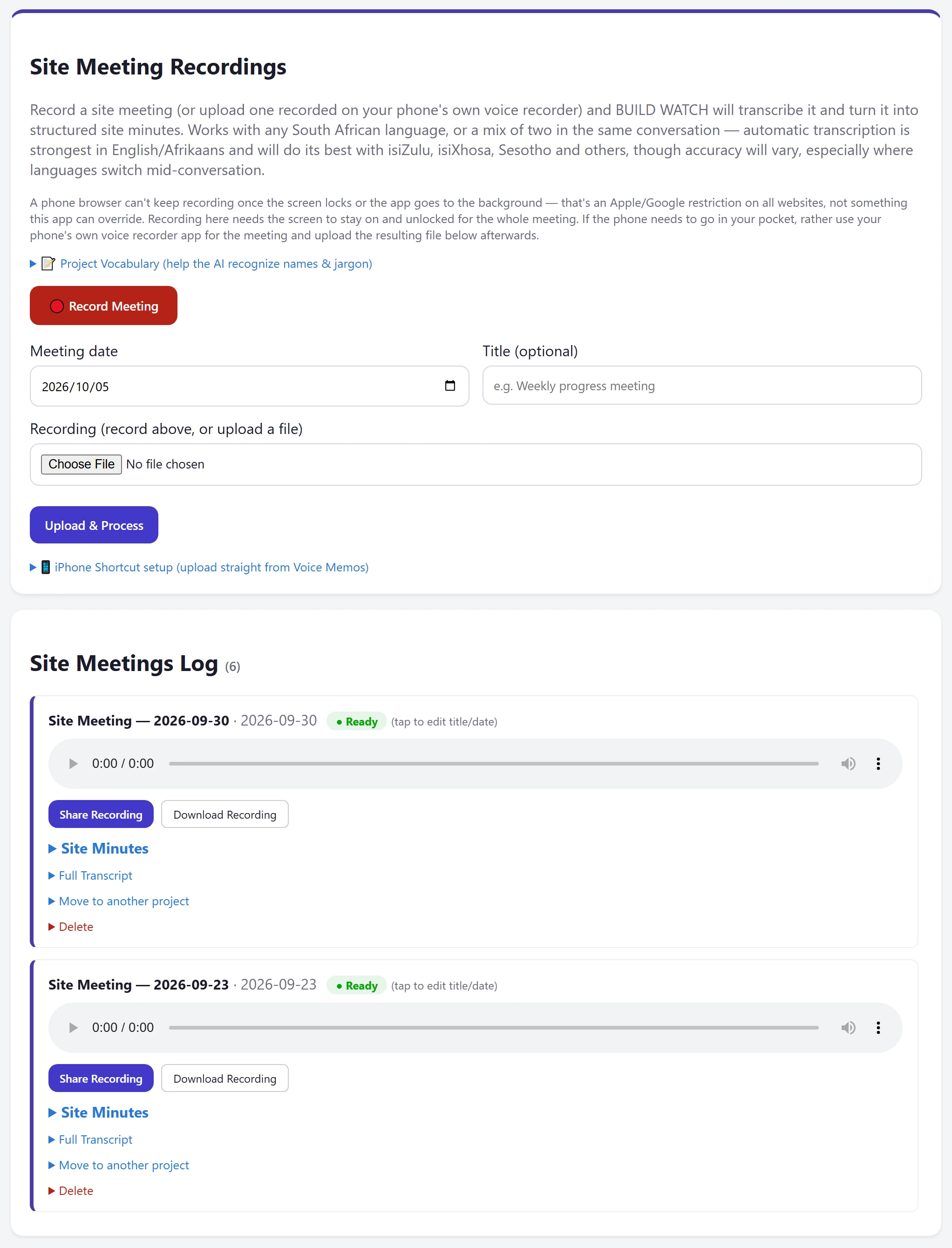
Site meetings
04 / Site meetings

Record it. Get the minutes.

Audio, transcript and structured minutes in one place.

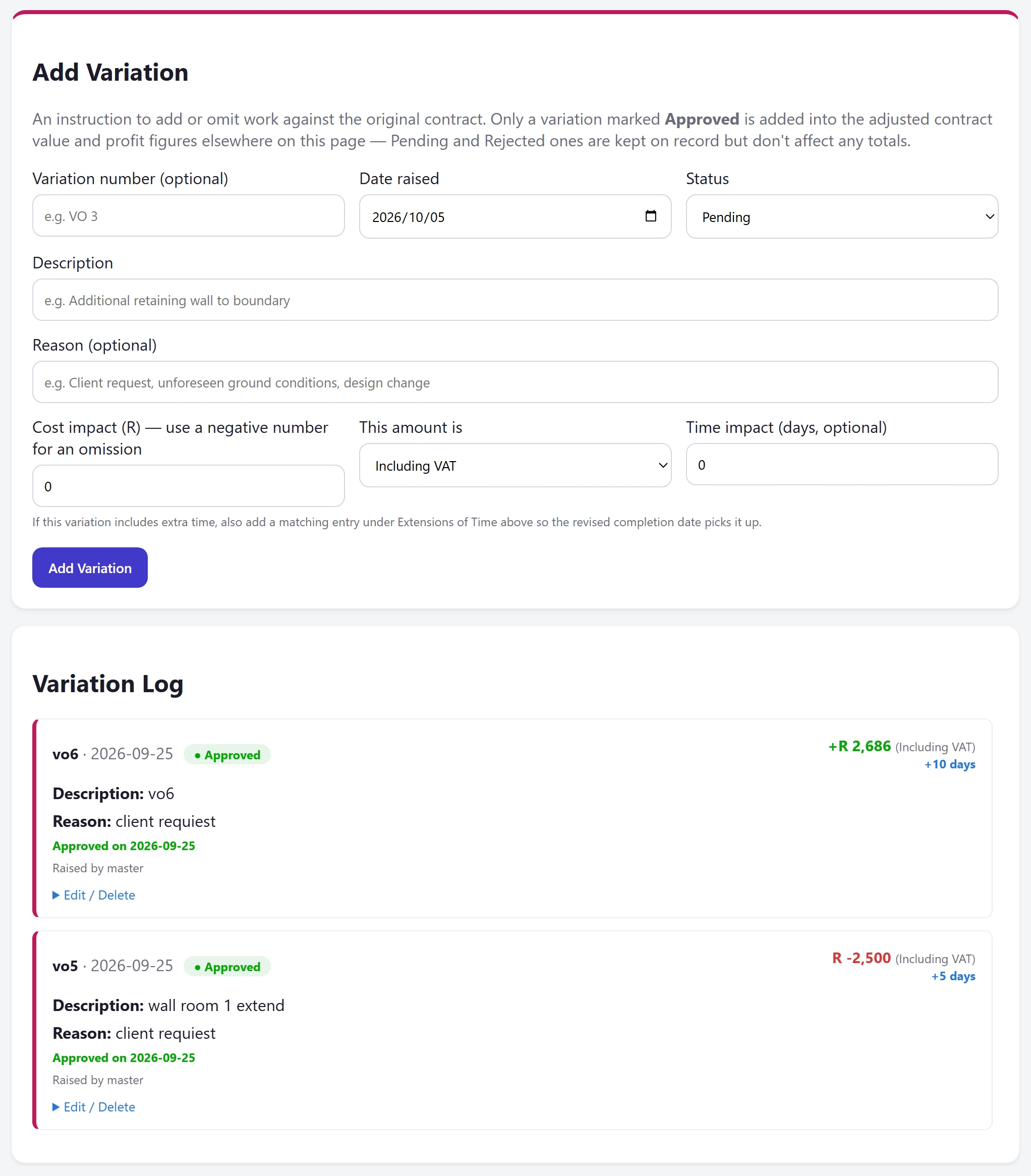
Variations
05 / Changes

Keep every change visible.

Variation cost and time impact, then follow approval.

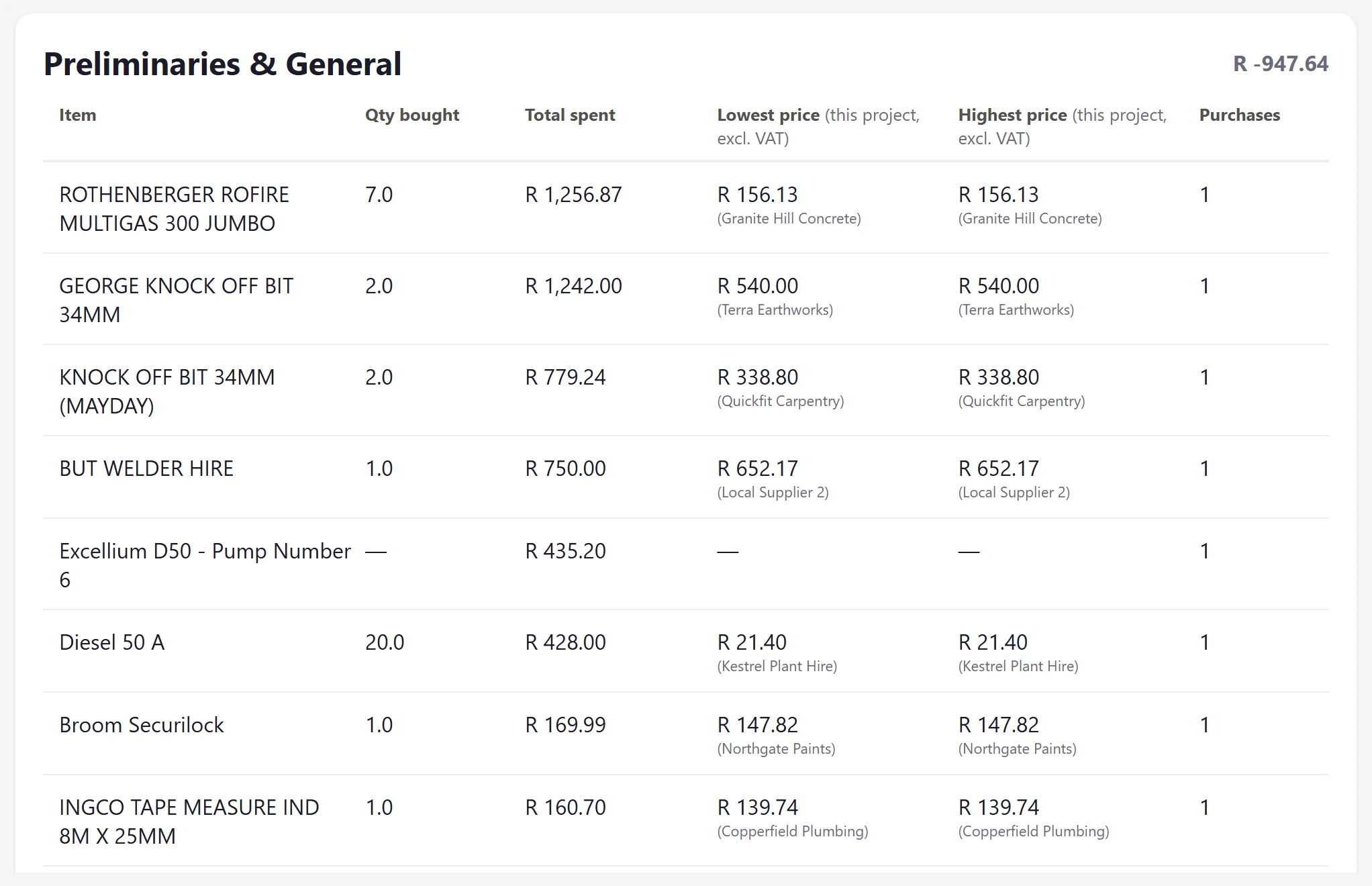
Supplier prices
06 / Supplier intelligence

Know what it really cost.

Lowest and highest recorded unit prices for the same item.

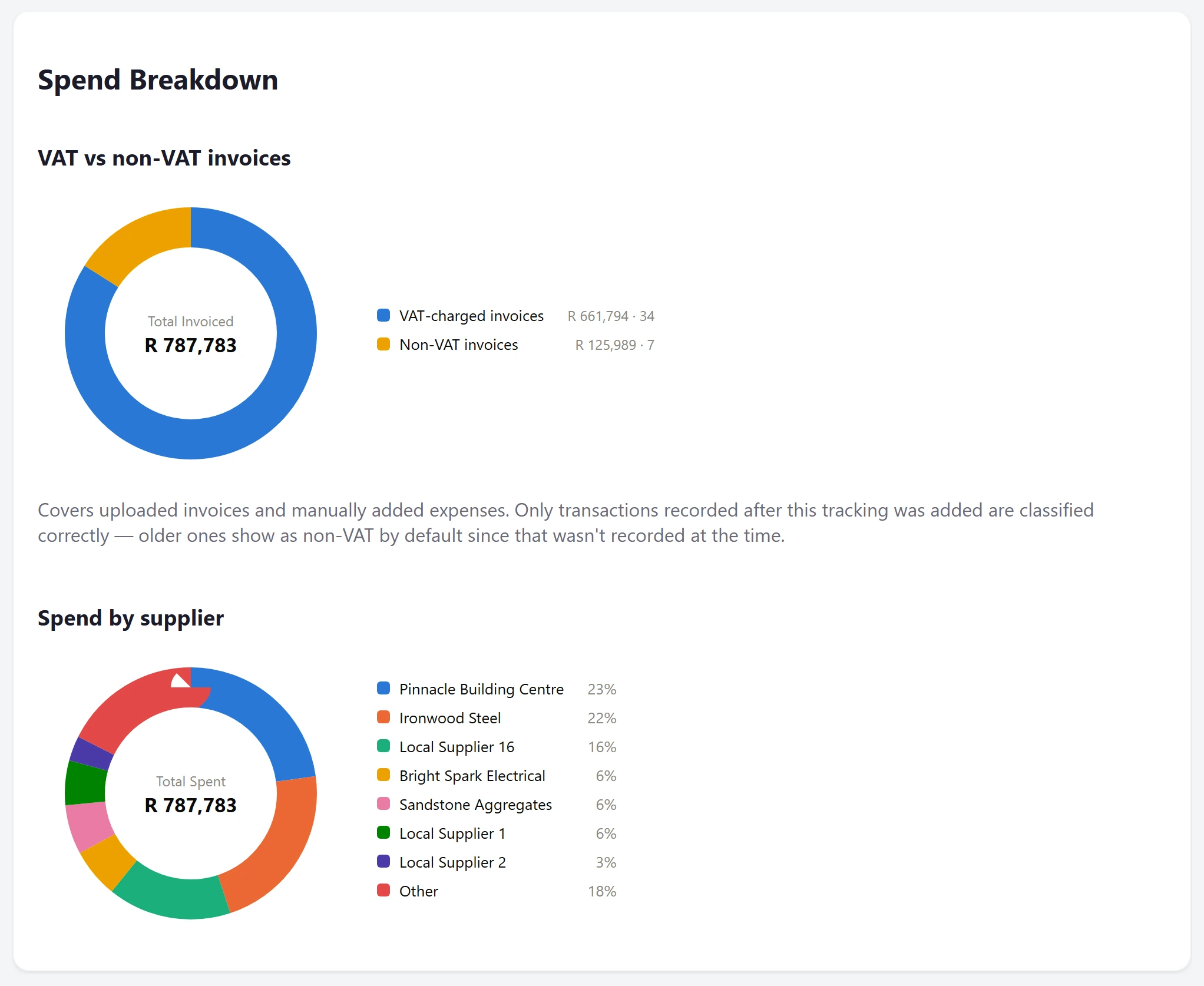
Spend by supplier
07 / Suppliers

See who drives the spend.

Supplier spending and VAT versus non-VAT totals.

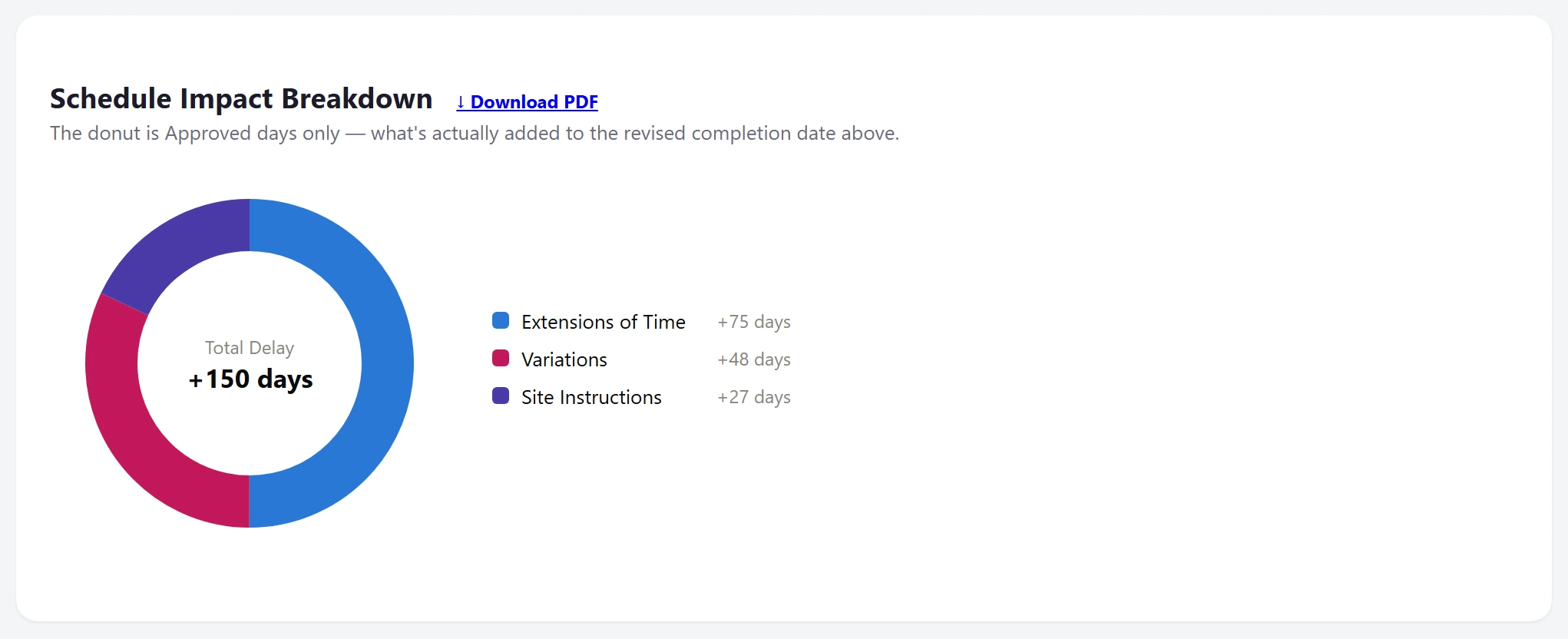
Schedule impact
08 / Schedule

Understand every delay.

How extensions, variations and instructions move the date.

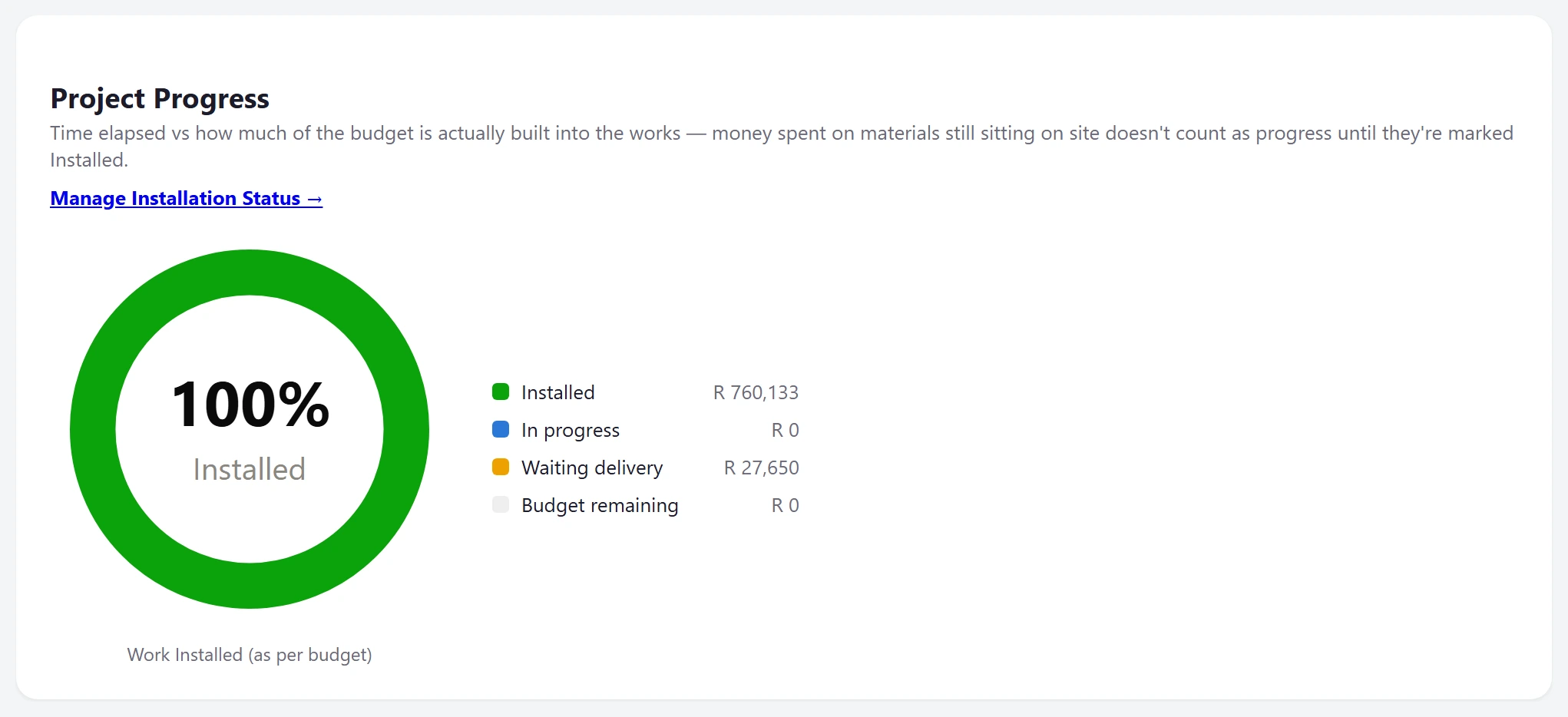
Progress
09 / Progress

Follow the work installed.

Installation progress alongside approved time changes.

Before & after

From chaos to control.

Drag the line. Left is how most sites run the money today. Right is BUILD WATCH.

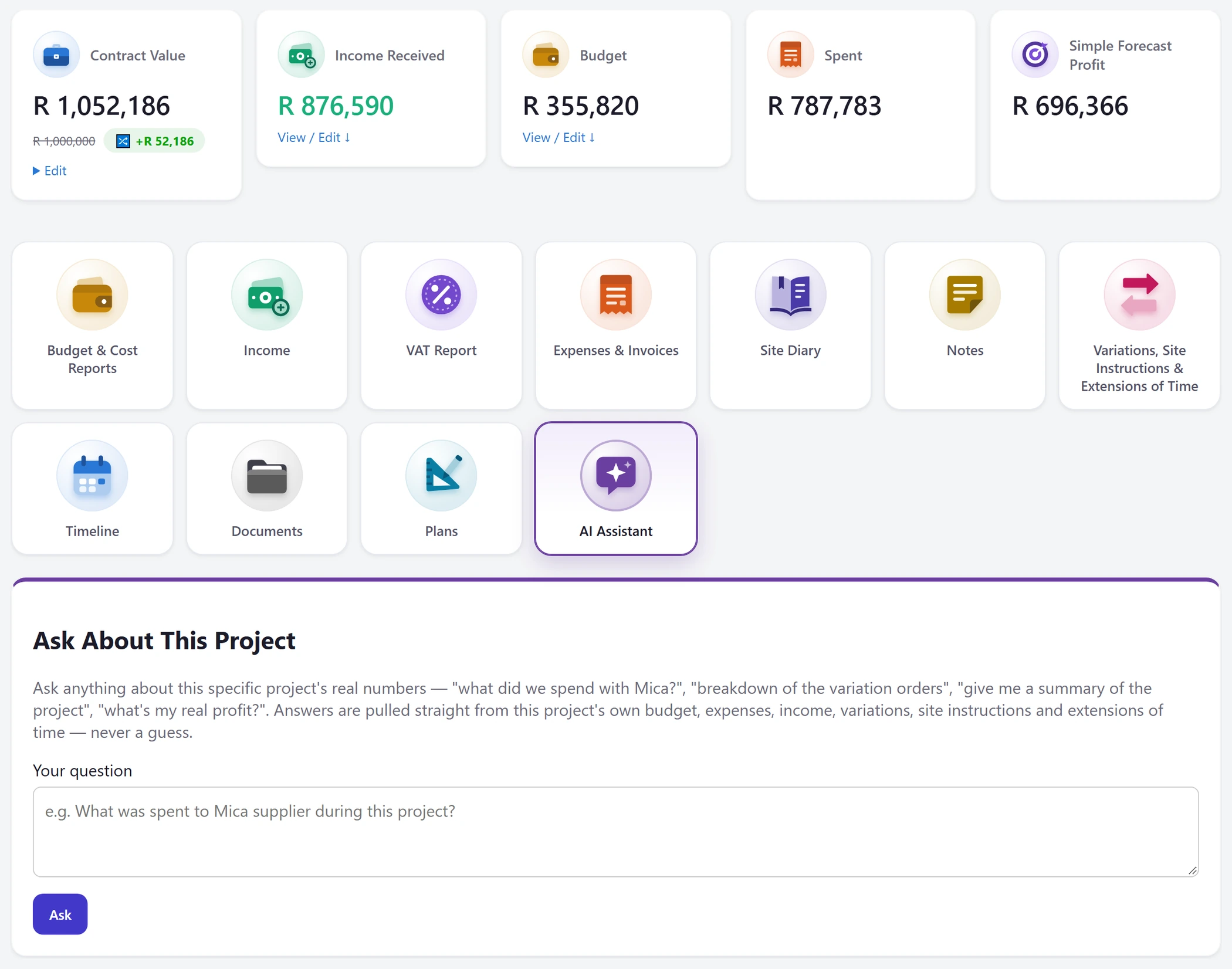
BUILD WATCH dashboard
TAX INVOICEPVC pipeR1450Cement x20R3480????R350
Plumber paid?? 🤷
VAT — ask Sandra
QUOTE ?? Extra wallR12400approved by??
OVER BUDGET?
Slip lost — R2 300 fuel!!
BeforeAfter
↔
Everything included

One program. The whole job.

AI invoice reading

PDF or photo in. Supplier, lines and VAT out.

Budget vs actual

Every trade against its budget, live.

VAT reports

Pick your dates, download the PDF.

Payables

Due dates, overdue alerts, part payments.

Variations

Extras approved by the client, in writing.

Client portal

Progress, payments and documents you choose to share.

Site diary & minutes

Daily records and meeting minutes written for you.

Ask your numbers

Plain-English answers from your own figures.

Plans & documents

Revision history — the current plan is always first.

Email invoices in

Every project has its own address.

Timeline & DLP

Extensions of time and the defects countdown.

The right access

Owner, manager and client each see only theirs.

On your phone

Your whole build, in your pocket.

Installs on the home screen like an app. Snap an invoice on site and see what it does to your budget before you're back in the bakkie.

  • 📷Photograph an invoiceor upload the PDF — no typing it in
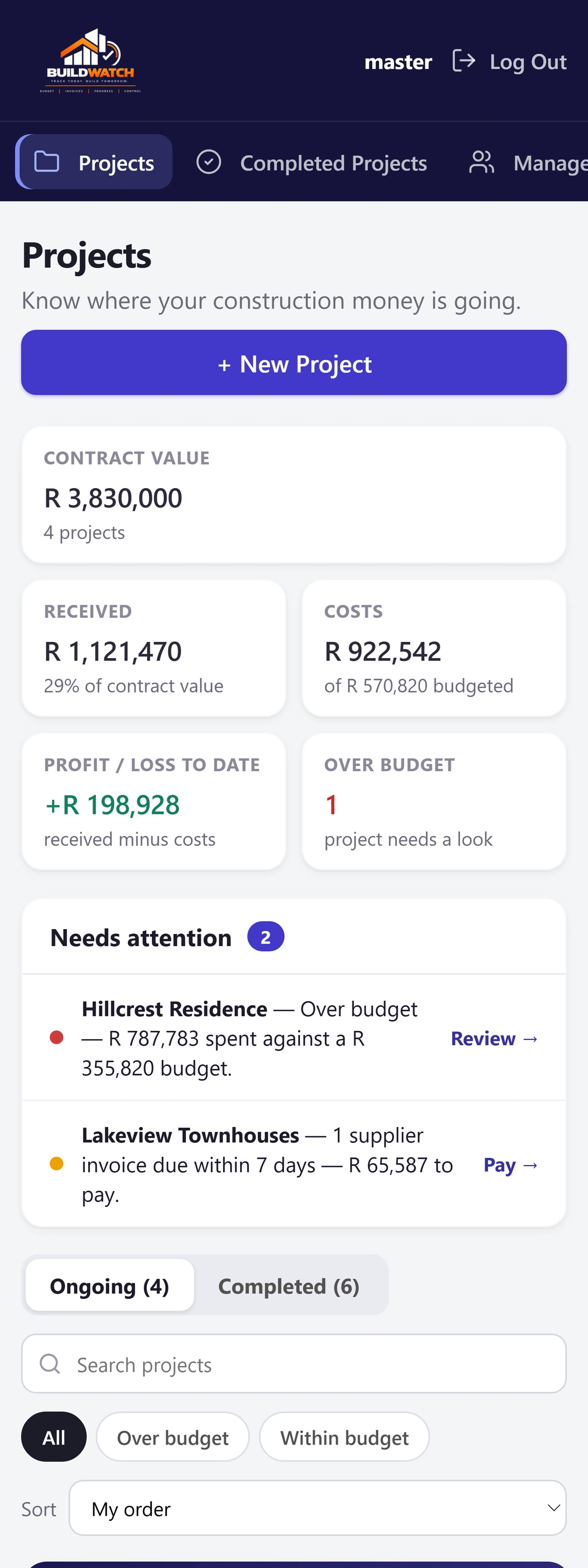
  • 🔔See what needs attentionover budget, overdue and due this week
  • 🎤Record the site meetingand get the minutes written for you
  • 📱Install it in one tapno app store needed
Payables on a phone
Home on a phone
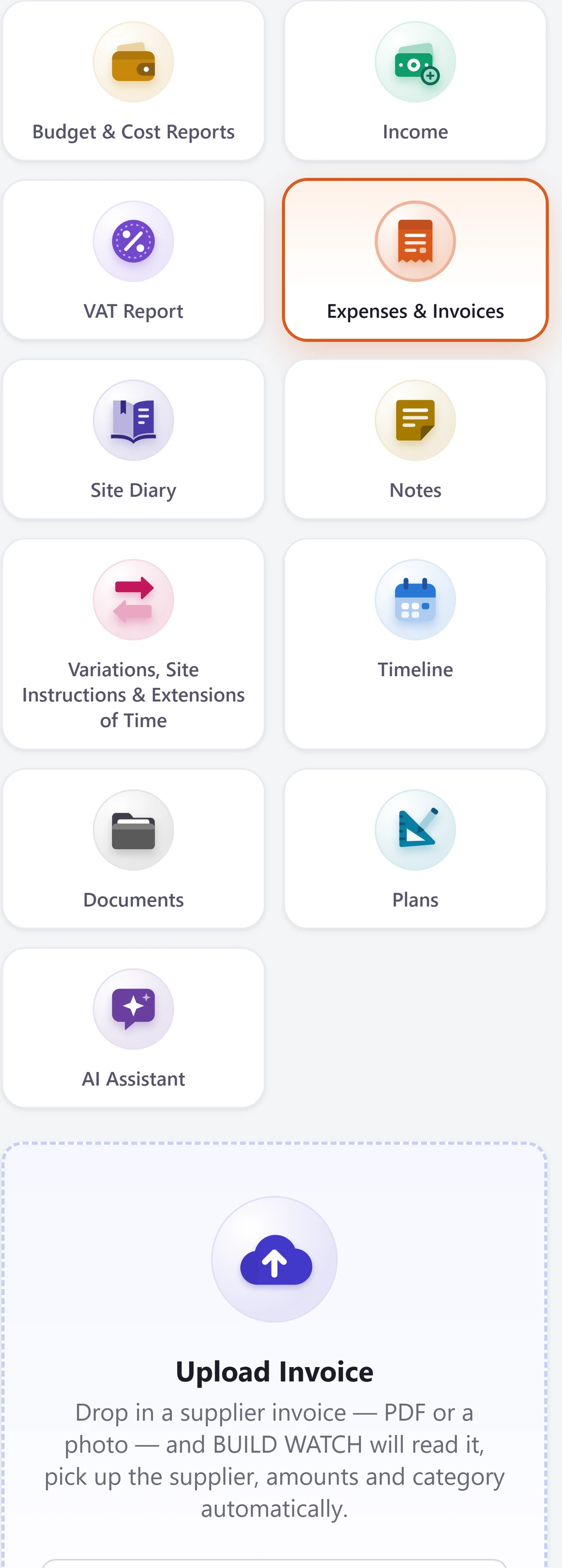
Uploading an invoice on a phone
Pricing

Pay for your sites, not your team.

No per-user fees. Bring your project managers and clients in for free.

For a growing builder

Three sites

Up to 3 active site projects
R399/ month
  • No per-user fees
  • AI-assisted invoice review
  • Project budgets, timelines and records
  • Site meeting recordings and minutes
Enquire · Monthly ↗
Billed in advanceMonthly or yearly, in rand Cancel any timeKeep access until your period ends 7-day money-backOn your first payment Reminder & grace period7 days before access is paused

Prices in South African rand; VAT, where it applies, is shown on your invoice. Read the full payment terms and terms of service.

The next generation of building control

See where every rand goes.

See costs earlier. Make the decision yourself.

Book a demo on WhatsApp ↗
Based inPretoria, South Africa Call or WhatsApp072 554 0632 Emailbuildwatch08@gmail.com